
AI Sound Effects Generator
Sound Effects From a Text Prompt
Generate SFX to picture — impacts, UI, ambience — instead of hunting a library.
- Cascade combo
- Level complete
- Out of moves
- Match of three
- Booster activation
- Sword swing
Sound Effects
Every interaction in a game needs a sound, and every sound is usually a compromise: hours scrubbing through licensed libraries for something close enough, or a sound design backlog that ships features with silent buttons and placeholder impacts. UA video has the same problem — footage gets generated in minutes, then waits on sound design.
Layer's sound effects generation turns a text description into game-ready SFX. Describe the sound the way you'd brief a sound designer — "soft UI confirm chime," "distant thunder over rain," "heavy sword impact on metal" — and generate exactly what the moment needs, then drop it into your game or straight onto a video clip.
01
Key capabilities
Text to SFX
Describe any sound and generate it. No more settling for the closest library match — the sound is made for your description, not found near it.
Game-ready output
Built for the categories games consume constantly: UI sounds, ambience, impacts, and ability effects, ready to audition and export.
Sound design for video
Add generated sound-effect tracks onto existing video clips, so trailers, hooks, and story ads get whooshes, hits, and atmosphere without leaving the workspace they were generated in.
One workspace, every modality
Sound effects live beside Layer's text-to-speech, music, image, video, and 3D generation — 300+ AI models, model-agnostic, with day-0 integrations as new models ship.
Iterate at the speed of text
Not punchy enough? Too long? Change the description and regenerate. Iteration is a sentence edit, not a new library search or a re-record.
- Potion drink
- Footstep
- Idle rumble
- Arrow hit
- Enemy death
- Attack roar
02
How it works
Describe the sound
Write what you want to hear — the source, the material, the mood, the context. Specific descriptions produce specific sounds.
Generate and audition
Layer generates the effect from your text. Listen, compare takes, and refine the description until it hits.
Place it or export it
Add the track onto an existing video clip in Layer, or export game-ready SFX into your engine and builds.
Audio
Voice lines, music and sound effects for every scene.
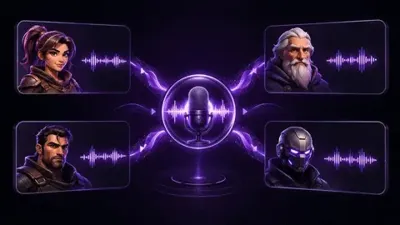
The industry's best audio models. One platform.
Most used sound effects models
- ElevenLabs Sound EffectsElevenLabs
- Mirelo SFX 2.0 Video to AudioMirelo
- Mirelo SFX 2.0Mirelo
- Stable Audio 3 Small SFXStability AI
- SSonilo Sound Effects 1.1Sonilo
- SSonilo Video to Sound Effects 1.1Sonilo
- CassetteAI Sound EffectsCassetteAI
- Stable Audio 2.5Stability AI
- Kling Video to AudioKling
- Mirelo SFX 1.6Mirelo
- Stable AudioStability AI
03
Built for game production
UI and game feel
Clicks, confirms, purchases, upgrades, rewards — the dozens of small sounds that make an interface feel responsive, generated as fast as the features that need them.
Combat and ability effects
Impacts, ability effects, and hit feedback described per character and per skill, so every ability sounds like what it does.
Ambience and world-building
Environmental beds for every biome, menu, and event screen — weather, crowds, machinery, magic — generated to match the scene instead of approximated from a library.
UA creative and trailers
Sound design is what makes generated video feel finished. Layer lets you add SFX tracks directly onto your clips, closing the loop from prompt to polished ad in one platform.
For sound effects built for a game rather than a clip, see game sound effects.
Sound effects on Layer are part of the workspace trusted by 400+ game studios and entertainment brands, including Zynga, SciPlay, and Huuuge Games. Start free and give your game its voice — no credit card required.
04
Related features
Questions about Sound Effects
How do I generate a sound effect on Layer?+
Describe the sound in text — a coin pickup, a heavy door, a fireball impact — and Layer generates game-ready SFX you can audition, iterate on, and export.
Can I add generated sound effects to a video?+
Yes. You can add generated sound-effect tracks onto existing video clips in Layer, so trailers and UA creative get sound design in the same workspace they were made in.
What kinds of game sounds does it handle?+
It's built for game-ready output across UI sounds, ambience, impacts, and ability effects — from menu clicks to environmental loops to combat feedback.
Do I need another subscription for sound effects?+
No. Sound effects generation is part of the same Layer workspace as image, video, 3D, and other audio tools — 300+ AI models under one consumption-based plan with no seat fees.
How much does it cost to start?+
Layer is free to start with no credit card required. Paid plans start at $10/month for 300 Creative Units, and 10% of unused CUs roll over each month.
Try Sound Effects today
Describe your first sound effect and hear it in seconds. Start free on Layer — no credit card required.